Invoicing Guide · Email & Payment
How to Send an Invoice by Email (Steps & Templates)
To send an invoice by email, create your invoice, save it as a PDF, write a clear subject line, attach the file, and send it to your client’s billing contact. Your message should explain what the invoice covers, how much is due, when payment is expected, and how the client can pay.
You don’t need expensive accounting software to do this. A regular email account and a properly prepared invoice are enough for many freelancers and small businesses.
This guide covers the complete process, ready-to-use invoice email templates, subject lines, Gmail instructions, and common mistakes to avoid.
How to Send an Invoice by Email in 6 Steps
Sending an invoice is straightforward once you have the correct information. Follow these steps to make sure your client receives what they need to process payment.
Step 1: Prepare and Review Your Invoice
Before opening your email, make sure your invoice clearly identifies your business, the customer, the goods or services provided, and the amount owed.
Check the following information:
- Your business name and contact details
- Client name and billing details
- Unique invoice number
- Invoice date and payment due date
- Description of products or services
- Quantities, rates, and total charges
- Applicable taxes and discounts
- Accepted payment methods and instructions
Exact legal requirements vary by transaction and jurisdiction. For first-time invoicing, our guide on how to write an invoice explains the creation process. You can also use the free invoice generator to build a document without designing it manually.
Step 2: Save Your Invoice as a PDF
Download or export the completed invoice as a PDF. This format usually preserves layout across devices and applications.
Use a descriptive filename, such as Invoice-INV-1042-Marlow-Studio.pdf, instead of document1.pdf. Then open the PDF and check that its total, due date, line items, and payment instructions are correct and nothing is cut off.
A PDF is convenient, but not automatically encrypted or tamper-proof. Use trusted delivery and payment methods.
Step 3: Confirm the Correct Email Address
The person who approved your work may not be responsible for paying invoices. Some companies use an accounts payable department, finance team, or supplier portal.
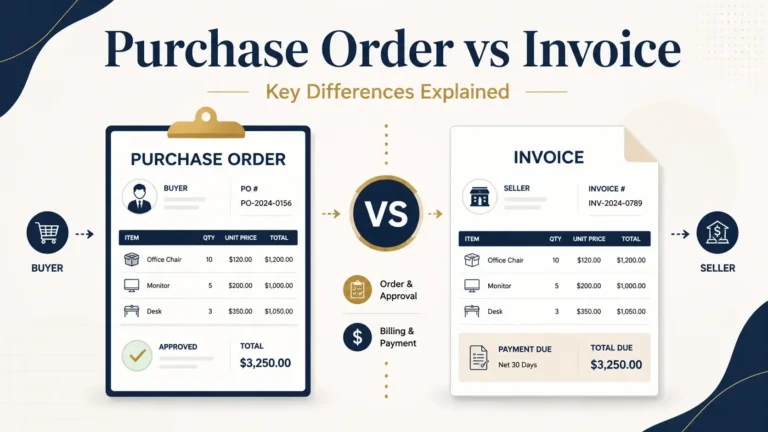
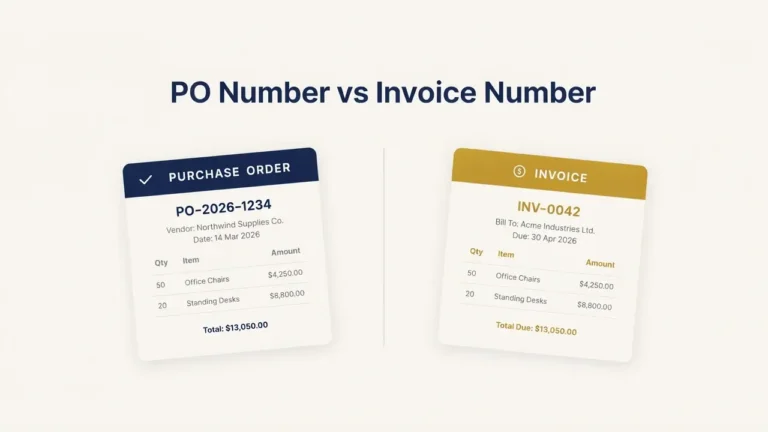
Ask whether the client requires a specific billing address, purchase order (PO) number, vendor ID, invoice format, or online submission. For context, a purchase order and invoice serve different purposes, but their references may need to match.
Step 4: Write a Clear Invoice Email Subject Line
Make the purpose of the message immediately recognizable. A practical format is:
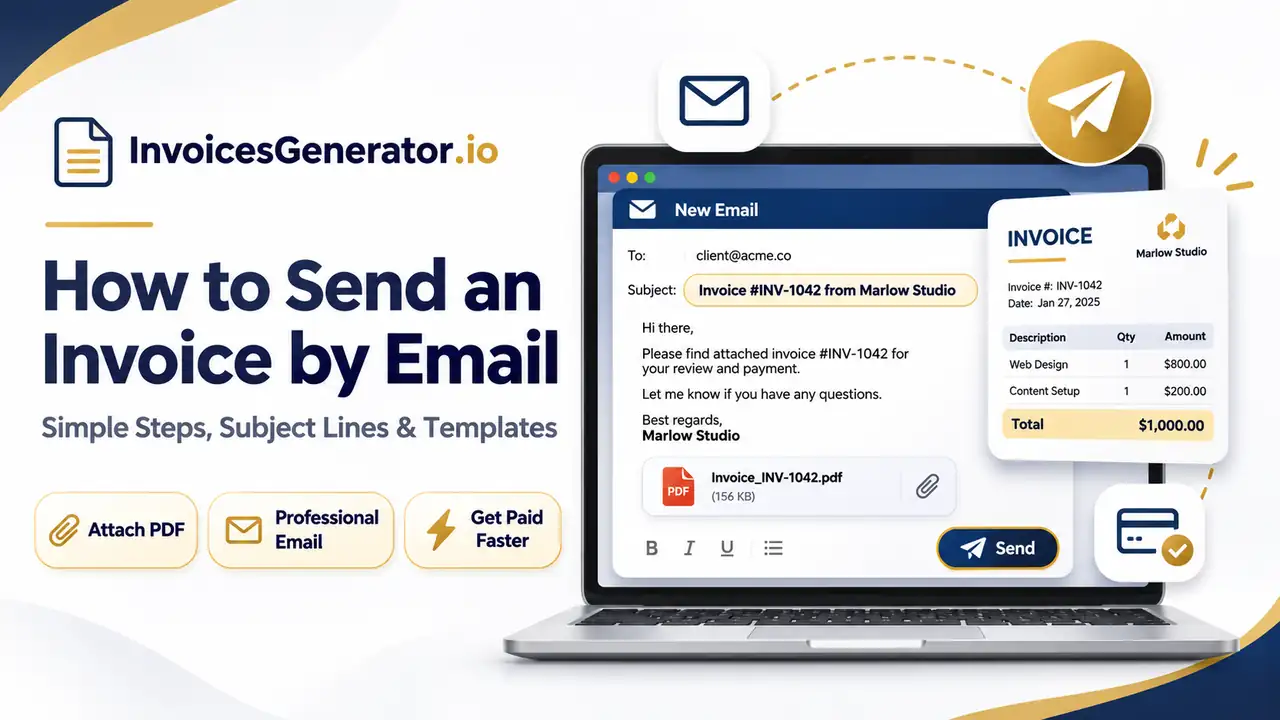
Example: Invoice #INV-1042 from Marlow Studio | Due November 30, 2026
Avoid vague subjects such as “Important Document,” or an alarmist “Final Warning” before payment is overdue.
Step 5: Write the Message and Attach Your Invoice
Keep the body brief. Mention the invoice number, service or billing period, amount, due date, and where to find payment instructions. You don’t need to repeat every line item.
Hi Daniel,
Please find attached Invoice #INV-1042 for the website maintenance services completed this month.
The total amount due is $850.00, with payment requested by November 30, 2026.
Payment instructions are included in the attached invoice.
Thank you for your business. Please let me know if you have any questions.
Best regards,
Sara
Marlow Studio
Before clicking Send, confirm that the correct PDF is attached. If you use a payment link, ensure it comes from your actual payment provider and works for the recipient.
Step 6: Send the Email and Keep a Record
After checking the recipient, attachment, and message, send the email. Keep a copy of the invoice and record the date sent, payment deadline, and status.
| Invoice | Client | Sent | Due | Status |
|---|---|---|---|---|
| INV-1042 | Northbrook Cafe | Nov 15, 2026 | Nov 30, 2026 | Unpaid |
| INV-1043 | Harper Design | Nov 15, 2026 | Dec 15, 2026 | Unpaid |
| INV-1044 | Greenfield Co. | Nov 10, 2026 | Nov 20, 2026 | Paid |
The above records are fictional examples. An email in your Sent folder does not prove the client opened or approved the invoice.
What to Write in an Invoice Email
A professional invoice email doesn’t need to be long. Include these essential elements:
1. A Recognizable Greeting
Address the recipient or billing team appropriately. “Hi Daniel,” works for an individual, while “Dear Accounts Payable Team,” works for a shared finance inbox.
2. A Short Explanation
Identify the service, project, or billing period. For example: “Attached is Invoice #INV-1042 for the website maintenance services provided in November.”
3. The Amount and Due Date
Include the total and the agreed deadline: “The balance of $850.00 is due on November 30, 2026.”
4. Payment Instructions
Tell the customer where to find the payment details. You may refer them to instructions on the invoice rather than repeat unnecessary financial information.
5. A Professional Closing
Offer to answer questions and add your name and business information. For example: “Please let me know if you need any additional information. Thank you for your business.”
6 Invoice Email Templates You Can Copy
Choose the template that matches your billing situation and replace all bracketed details before sending.
Template 1: Standard Invoice Email
Subject: Invoice #[Number] from [Business Name]
Hi [Client Name],
Please find attached Invoice #[Number] for [products or services].
The total amount due is [Amount], payable by [Due Date].
Payment details are included in the invoice.
Thank you for your business. Please contact me if you have any questions.
Best regards,
[Your Name]
[Business Name]
Template 2: First Invoice to a New Client
Subject: First Invoice #[Number] | [Business Name]
Hi [Client Name],
It was a pleasure working with you on [Project Name].
Attached is Invoice #[Number] for the work completed. The total is [Amount], with payment due on [Due Date].
The invoice includes the agreed services and payment instructions.
Please let me know if your accounting team needs any additional details or documents.
Thank you,
[Your Name]
[Business Name]
Template 3: Freelance or Contractor Invoice
Subject: Invoice #[Number] for [Project Name]
Hi [Client Name],
I’ve completed the agreed work for [Project Name] and attached Invoice #[Number].
The invoice covers [brief description of deliverables], totaling [Amount].
Payment is due on [Due Date], according to our agreed terms.
Thanks again for the opportunity to work together.
Best,
[Your Name]
Template 4: Deposit or Upfront Payment Invoice
Subject: Deposit Invoice #[Number] for [Project Name]
Hi [Client Name],
Attached is the deposit invoice for [Project Name], as agreed in our project terms.
The deposit amount is [Amount], due on [Due Date].
Once payment is confirmed, we’ll proceed with [Next Agreed Project Step].
Please let me know if you have any questions about the invoice.
Best regards,
[Your Name]
[Business Name]
Template 5: Monthly or Recurring Invoice
Subject: [Month] Invoice #[Number] | [Business Name]
Hi [Client Name],
Attached is Invoice #[Number] for [Month and Year].
The invoice covers [monthly services or products], with a total amount of [Amount].
Payment is due on [Due Date] under our agreed billing schedule.
Thank you for your continued business.
Best regards,
[Your Name]
Template 6: Polite Invoice Payment Reminder
Subject: Follow-Up on Invoice #[Number] | Due [Date]
Hi [Client Name],
I’m following up on Invoice #[Number] for [Amount], which was due on [Due Date].
I wanted to check whether the invoice was received and if any additional information is needed to process payment.
I’ve attached another copy for convenience.
If payment has already been made, please disregard this reminder.
Thank you,
[Your Name]
[Business Name]
Best Subject Lines for Invoice Emails
Use a consistent subject line that is easy to identify and search later.
| Situation | Subject line example |
|---|---|
| Standard invoice | Invoice #INV-1042 from Marlow Studio |
| Payment deadline | Invoice #INV-1042 | Due November 30 |
| Completed project | Invoice for Website Redesign | INV-1042 |
| Monthly services | November 2026 Invoice | Marlow Studio |
| Freelance work | Invoice #INV-1042 for Design Services |
| Deposit request | Deposit Invoice #INV-1042 | Website Project |
| Payment reminder | Follow-Up: Invoice #INV-1042 |
| Corrected invoice | Corrected Invoice #INV-1042 | Marlow Studio |
For more on reference identifiers, see what an invoice number is. Avoid adding confidential customer information to a subject line.
How to Send an Invoice Through Gmail
You can email an invoice PDF using a standard Gmail account. No invoicing integration is required.
Sending an Invoice in Gmail on a Computer
- Open Gmail.
- Click Compose.
- Enter the client’s address in the To field.
- Add a subject containing the invoice number.
- Write your short invoice email.
- Click the paperclip Attach files icon.
- Select the PDF on your computer.
- Wait until the attachment finishes uploading.
- Review the recipient, message, and attachment.
- Click Send.
What If Your Invoice Attachment Is Too Large?
According to Google’s Gmail attachment help, personal Gmail accounts can send attachments totaling up to 25 MB. When an attachment exceeds the limit, Gmail may use a Google Drive link instead. Google Workspace administrators may configure different limits.
If you send a link, ensure the recipient has permission to view the invoice without making private billing information public.
Can You Send an Invoice from Your Phone?
Yes. On a supported phone, open Gmail, start a message, enter the recipient and subject, attach the invoice file, and send it. Attachment menus may vary between devices.
When Should You Send an Invoice?
Choose a sending date based on your agreement with the customer and your business’s billing schedule.
| Billing situation | When to send |
|---|---|
| Completed freelance project | After agreed work is completed, unless the contract specifies otherwise |
| Upfront deposit | Before starting work, according to your deposit agreement |
| Milestone-based project | When the agreed milestone is reached |
| Monthly retainer | On the agreed monthly billing date |
| Product delivery | According to the sale and payment terms |
| Recurring service | At each agreed billing interval |
The invoice date is when the invoice was issued. The due date is when payment is expected. These dates are not automatically the same.
Common Invoice Email Mistakes and How to Fix Them
| Mistake | Why it matters | Fix |
|---|---|---|
| Missing attachment | The client cannot review the invoice | Open the attached PDF before sending |
| Wrong recipient | It may never reach the billing team | Verify the address |
| Vague subject | Hard to find and identify | Include number and business name |
| Incorrect total | Can cause a billing dispute | Compare with agreed rates |
| Missing due date | Payment timing is unclear | Use the agreed deadline |
| Missing PO number | Client systems may reject it | Add the required PO reference |
| Wrong payment details | Payment may be misdirected | Verify instructions |
| Inaccessible file link | Recipient cannot open the invoice | Check sharing permissions |
What If You Sent the Wrong Invoice?
Contact the recipient promptly and provide a corrected version. You can say: “Please disregard the previous attachment. I’ve included the corrected invoice with the updated project total.” If it has already been processed, ask whether the customer requires a formal correction, credit note, or replacement.
What If the Client Says They Never Received It?
Check the address and whether the message was returned as undeliverable. Ask the correct billing contact to confirm receipt and resend it if necessary. Some companies require invoices to go through their supplier portals.
How to Send Invoice Payment Details Safely
Use a recognizable business email address, confirm the recipient, and avoid sharing unnecessary personal or financial information.
Be especially cautious of unexpected requests to change bank account details. The FBI’s Internet Crime Complaint Center warns about business email compromise scams in which criminals impersonate legitimate contacts and redirect payments.
Verify any unexpected change through a trusted phone number or an established communication channel. Do not rely solely on replying to the email thread, which itself might be compromised. Use authentic payment links from providers you actually use, and restrict access to stored invoice records.
What to Do If Your Invoice Hasn’t Been Paid
If the deadline passes with no confirmed payment, check your records before following up. A practical sequence is:
- Confirm that the invoice remains unpaid.
- Review the due date and payment terms.
- Check whether the client received the document.
- Resend a copy if necessary.
- Request an expected payment date.
- Record any response or revised arrangement.
Keep the conversation professional. Don’t automatically add late fees without checking the agreement and applicable rules. If the customer disputes an amount, review the original scope, pricing, and supporting documents.
Frequently Asked Questions
Can I send an invoice by email without accounting software?
Yes. Create an invoice using a template or online generator, save it as a PDF, and attach it to a normal email.
What should I say when sending an invoice?
Identify the invoice, describe the work or billing period, state the total and due date, and offer to answer questions.
Should I send an invoice as a PDF or Word document?
PDF is generally preferable because it preserves the layout. Use the customer’s requested format when one is specified.
Is it professional to send an invoice through Gmail?
Yes. Use a recognizable sender address, clear subject, complete invoice, and concise message.
Can I send an invoice before completing the work?
Yes, if the agreement provides for advance billing, a deposit, or payments tied to milestones.
Should I include bank details in an invoice email?
Only share information needed for your chosen method. For unexpected changes, verify payment instructions through a trusted channel.
How do I know if a client received my invoice?
A message appearing in Sent doesn’t prove the recipient opened it. Request acknowledgment or confirm directly with the billing team.
Create Your Invoice and Send It by Email
A clear invoice email tells your customer what they’re paying for, how much they owe, when payment is due, and where to find the document.
Use our free online Invoice Generator to prepare your invoice and download its PDF. Then attach it to your email and send it to the correct billing contact.
Create a Free Invoice →