How to Write an Invoice (Step by Step, With Example)
An invoice is a formal request for payment you send to a client. Learning how to write an invoice matters because a clear one gets you paid on time. A messy one gets ignored, questioned, or paid late.
This works the same whether you freelance, run a small shop, or take on contract jobs. The fields are standard. The order is predictable. Once you have done it a few times, it takes minutes.
Below you get the exact steps, a filled example with real numbers, and the mistakes that hold up payment.
What You Need Before Writing an Invoice
Gather a few things first so you are not stopping halfway to look them up.
- Your business details: name, address, email, phone, and a logo if you have one.
- Your client’s details: the correct contact name, company, and billing address.
- A record of the work: what you delivered, hours or quantities, and agreed rates.
- A numbering system: how you will label this invoice so it stays traceable.
- Payment terms: when payment is due and which methods you accept.
Having these ready keeps the whole thing to a five-minute job.
How to Write an Invoice, Step by Step
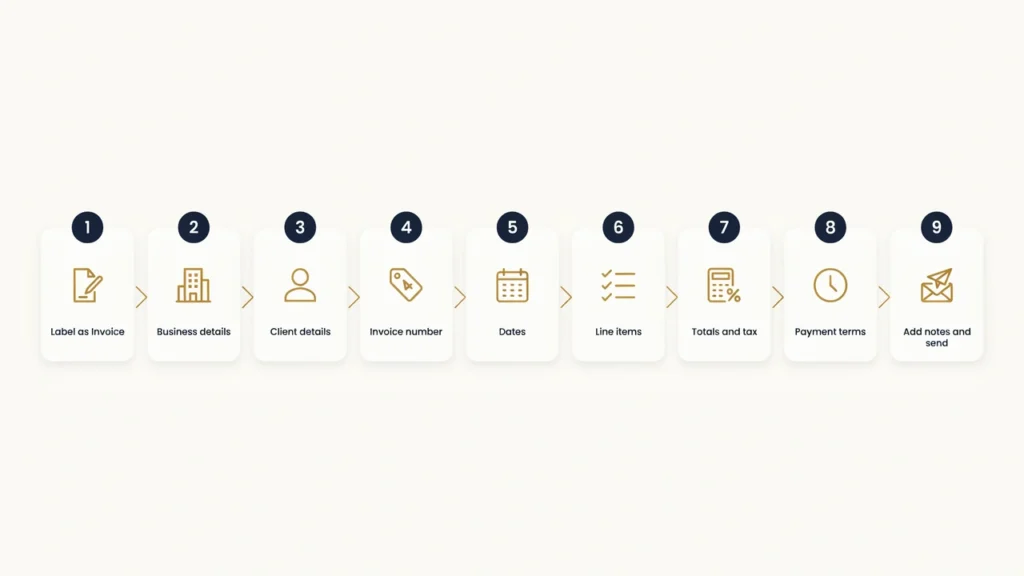
Follow these steps in order. Each one adds a piece the client needs to pay you without asking questions.
Step 1: Label the Document “Invoice”
Put the word “Invoice” at the top, large and clear. This sounds obvious, but it stops your document from getting mistaken for a quote or a receipt. It also helps the client’s accounts team file it correctly.
Step 2: Add Your Business Details
List your business name, address, email, and phone number near the top. Add your logo if you have one. This tells the client exactly who is billing them and how to reach you.
Step 3: Add the Client’s Details
Write the client’s name, company, and billing address below yours. Address it to the right person or department. A wrong recipient is one of the most common reasons invoices sit unpaid.
Step 4: Assign an Invoice Number
Give every invoice a unique number. A simple sequence works well, like 10001, 10002, 10003. Numbers keep your records traceable and make it easy to reference an invoice later if a client asks.
Step 5: Add the Invoice Date and Due Date
The invoice date is the day you issue it, not the day you finished the work. The due date sets the payment deadline. Both dates remove any doubt about when you expect to be paid.
Step 6: List Your Line Items
List each product or service on its own row. For every line, include a short description, the quantity, and the rate. This itemized list shows the client exactly what they are paying for.
Step 7: Add Subtotal, Tax, Discount, and Total
Add up your line items to get the subtotal. Apply any discount first, then calculate tax on the discounted amount. The final total is what the client owes. Showing this math prevents disputes over the final figure.
Step 8: Set Payment Terms and Methods
State your terms clearly, such as Net 30 or due on receipt. List the payment methods you accept, like bank transfer, card, or PayPal. Clear terms get you paid faster than vague ones.
Step 9: Add Notes and Send It
Add a short note if needed, like a thank-you or a late-fee reminder. Check the numbers once, then send the invoice as a PDF so the formatting stays intact.
How to Fill Out an Invoice (Filled Example)
Steps are easier to follow with real numbers in front of you. Here is a complete invoice filled out for a freelance job.
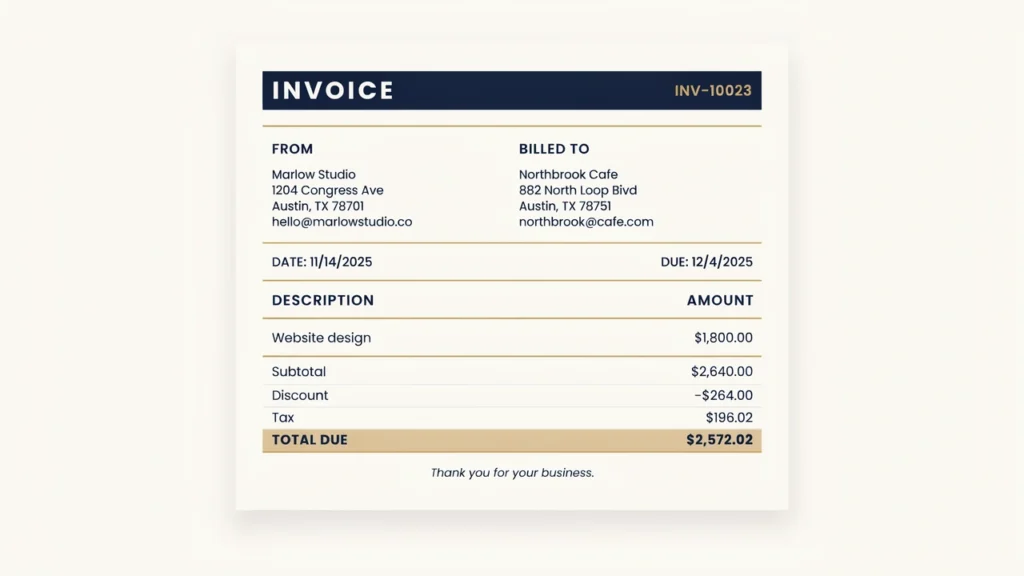
Say a web designer named Sara runs Marlow Studio. She just finished a project for a client called Northbrook Cafe. Here is how her invoice looks.
From:
Marlow Studio
14 Rowan Street, Austin, TX 78701
sara@marlowstudio.com
Billed to:
Northbrook Cafe
201 Elm Avenue, Austin, TX 78704
Invoice number: INV-10023
Invoice date: March 3, 2026
Due date: March 17, 2026 (Net 14)
| Description | Qty | Rate | Amount |
|---|---|---|---|
| Website design | 1 | $1,800.00 | $1,800.00 |
| Logo design | 1 | $600.00 | $600.00 |
| Extra revisions | 3 | $80.00 | $240.00 |
Now the totals, worked out in order:
- Subtotal: $2,640.00
- Discount (10% returning client): minus $264.00
- Taxable amount: $2,376.00
- Tax (8.25%): $196.02
- Total due: $2,572.02
Notice the order of the math. Sara adds the line items first. She takes the discount off next. Then she calculates tax on the lower amount, not the original subtotal. Getting that sequence wrong is a common way invoices end up with the wrong total.
Her payment terms sit at the bottom: bank transfer or card, due within 14 days. A short note thanks the client and lists her late fee for anything paid after the due date.
That is a full invoice. Same structure works for a $200 job or a $20,000 one.
What to Include on an Invoice (Quick Checklist)
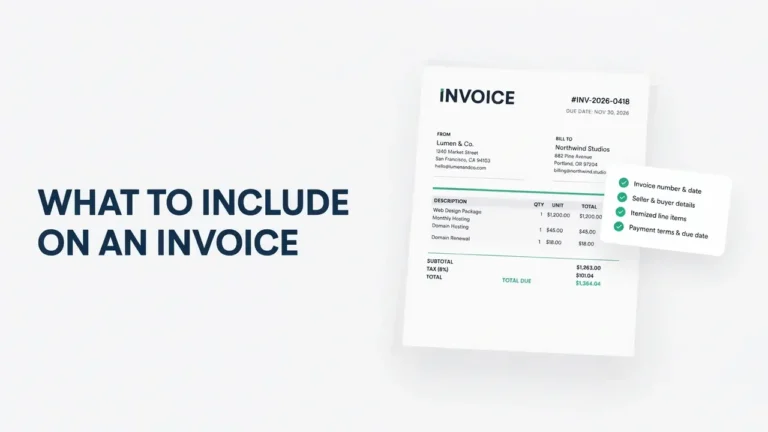
Before you send anything, run through this list. If a field is missing, the invoice slows down.
- The word “Invoice” at the top
- Your business name and contact details
- Your client’s name and billing address
- A unique invoice number
- Invoice date and due date
- An itemized list with descriptions, quantities, and rates
- Subtotal, any tax or discount, and the total due
- Payment terms and accepted payment methods
Want a deeper breakdown of each field and why it matters? See our full guide on what to include on an invoice.
How to Write an Invoice for a Job or Project
Project work does not always follow the same billing pattern as a one-off sale. Sometimes you bill before the work is finished, not after.
Here are the three common ways to invoice for a job.
Deposit upfront. Ask for part of the payment before you start, often 25% to 50%. This covers your early costs and confirms the client is committed. Your invoice notes it as a deposit against the total.
Milestone billing. Split a large project into stages. Send an invoice as each stage is approved, like design, build, and launch. The client pays in steps instead of one large sum at the end.
Final invoice. Once the work is done, bill the remaining balance. Subtract any deposit already paid so the client sees exactly what is left.
For a small job, a single invoice after delivery is fine. Just describe the work clearly. “Website copywriting, 6 pages” tells the client more than “writing work.” Vague descriptions invite questions and delay payment.
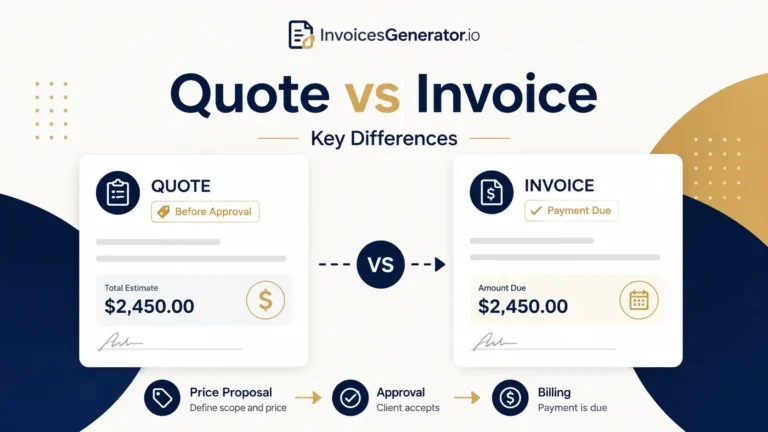
If you agreed a price before starting, that came from a quote. A quote proposes the price, and the invoice collects it. Our guide on quote vs invoice covers how the two connect.
Invoice Types You Might Use
Most jobs need a standard invoice. But a few situations call for a different type.
- Standard invoice: the everyday bill for goods or services delivered.
- Recurring invoice: the same charge sent on a schedule, useful for retainers or subscriptions.
- Proforma invoice: a preview sent before the sale is final, common for estimates and international orders. Our guide on proforma invoice vs invoice explains when to use one.
- Credit note: issued when you need to refund or correct an amount already billed.
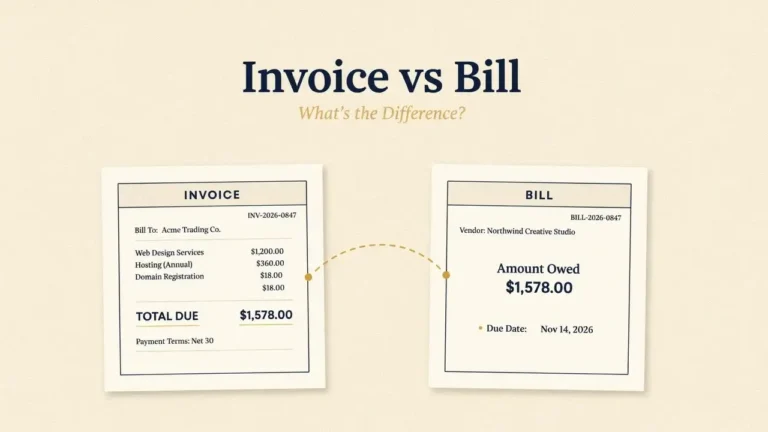
There is also a naming point worth clearing up. An invoice is not the same as a bill or a receipt, even though people mix them up. We cover the differences in invoice vs bill and invoice vs receipt.
Writing an Invoice: Template vs From Scratch vs Generator
You have three ways to produce an invoice. Each suits a different situation.
From scratch in Word or Excel. Full control over the layout, but you handle every calculation yourself. Fine for a one-off, slow if you invoice often. Math errors are easy to miss.
A reusable template. Set up the design once, then fill in the details each time. Faster than starting fresh, though you still update numbers and totals by hand.
An online invoice generator. Enter your details and the tool builds the invoice for you. Totals, tax, and discounts calculate automatically, and you download a clean PDF.
If you send more than a couple of invoices a month, a generator saves the most time. Our free invoice generator needs no signup, shows a live preview, and adds no watermark. You fill in the fields, pick a template, and download the PDF in minutes.
Common Invoice Mistakes to Avoid
Small errors cause big payment delays. Here are the ones that trip people up most, and how to avoid each.
Missing or wrong dates. No due date means no deadline, so the client has no reason to hurry. Always set both the invoice date and the due date.
Incomplete client details. An invoice sent to the wrong person or address just sits there. Confirm the right contact before you send.
Math errors. A subtotal that does not match the line items makes you look careless. Double-check the totals, or use a tool that calculates them for you.
No payment terms. “Pay whenever” gets paid whenever. State a clear due date and the methods you accept.
Reusing an invoice number. Two invoices with the same number break your records. Keep every number unique and sequential.
Vague descriptions. “Consulting” tells the client nothing. “Marketing strategy call, 2 hours” tells them exactly what they paid for.
What Happens After You Send an Invoice
Sending the invoice is not the end of the job. A few things follow.
First, track it. Note the date you sent it and when payment is due. This tells you when to follow up.
If the due date passes, send a polite reminder. A short, friendly message is usually enough. Reference the invoice number and the amount, and attach the original again.
For repeat late payers, a stated late fee helps. When you set the fee on the invoice upfront, clients take the due date more seriously.
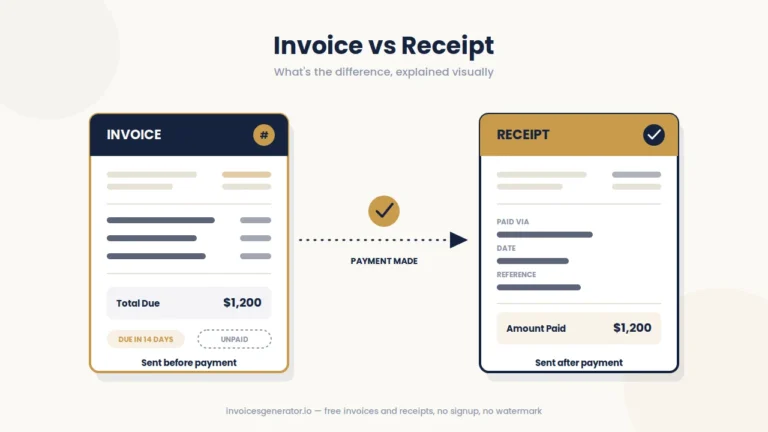
Once the client pays, the invoice is settled. At that point you can issue a receipt, which confirms the payment was made. An invoice requests payment, and a receipt proves it arrived.
Frequently Asked Questions
How do you write an invoice?
Start by labeling the document “Invoice,” then add your business and client details. Include a unique number, the dates, an itemized list, the total, and your payment terms. Send it as a PDF.
How do I write a simple invoice?
Keep it to the essentials: who it is from, who it is for, an invoice number, what you delivered, the amount due, and the due date. A basic invoice needs nothing more.
Can I write an invoice without a template?
Yes. You can write one from scratch in Word or Excel, or type it out in any document. A template or generator just saves time and reduces errors.
What should an invoice look like?
Clean and easy to read. The word “Invoice” sits at the top, your details and the client’s are clear, and the line items and total are easy to find. There is no single required design.
Is an invoice the same as a receipt?
No. An invoice requests payment before it is made. A receipt confirms payment after it arrives.
Do I need to charge tax on an invoice?
It depends on your location, your registration status, and what you sell. Check your local tax rules, and when tax applies, show it as a separate line on the invoice.
Start Writing Your Invoice Now
Once you know how to write an invoice, the whole process takes a few minutes. Fill in your details, list the work, set clear terms, and send a clean PDF. Do it consistently and you get paid faster with fewer questions.
Skip the manual setup if you want. Our free invoice generator fills in the structure for you, calculates the totals, and gives you a downloadable PDF with no signup. If you send a quote before the work, our quote vs invoice guide shows how the two fit together.